Websites for your trade
Websites for massage therapists
Checked 16 September 2026
The job of a massage therapist website is simple: answer the questions a client has about the treatment, the prices and how to pay, and send them straight to the booking calendar without having to phone.When the prices and the free slots are clearly visible, a client can book on their own, and treatment does not have to be interrupted for a phone call. Below we go through what a massage therapist website should cover and how booking is attached to it.
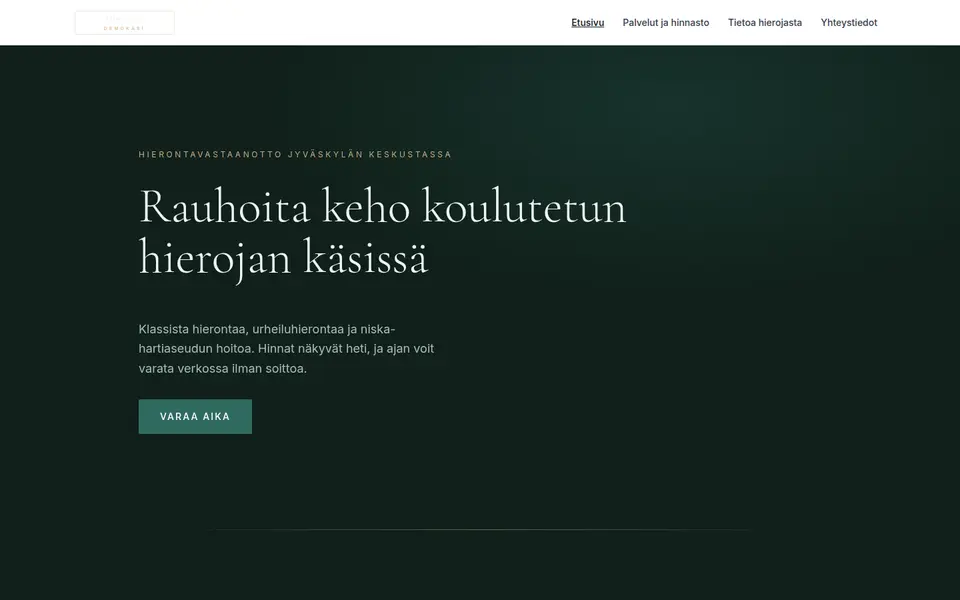
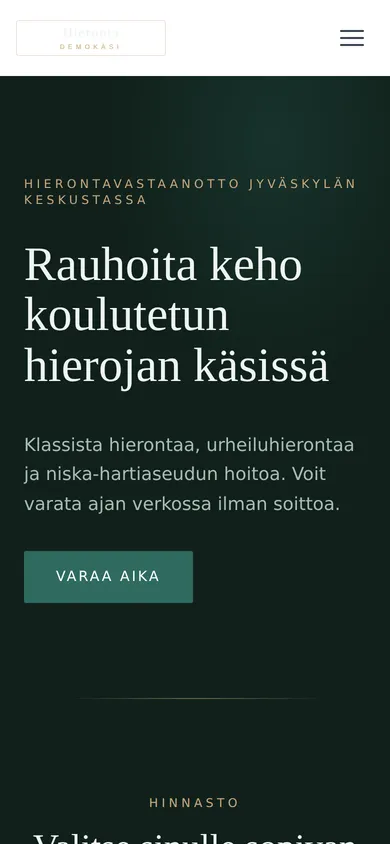
What a massage therapist website needs
The list covers what we consider the most important things, in order of importance.
-
A price list by treatment length
Massage is usually priced by length, for example for 30, 45, 60 and 90 minute visits. Besides the price, it is worth saying whether the initial interview and changing time are included in the booked slot.
-
A "Book now" button on every page
The button goes straight to the booking system. Placement is covered further down.
-
Training and professional title
State your qualification and your title. How the title may be used and how it affects VAT is covered further down.
-
Treatment types, each in its own passage
Treatment types such as classic massage, sports massage, neck and shoulder treatment, lymphatic massage and pregnancy massage are worth presenting each in a passage of its own. Clients search for them by name, and a few sentences on who each treatment suits is enough.
-
Free slots or a realistic waiting time
If the calendar is full for weeks, it is worth saying so on the site. The client then knows to book well ahead and does not need to call to ask.
-
Cancellation terms and the charge
Cancellation terms are best shown next to the price list, so the client sees them before booking. The terms should say how far in advance a booking must be cancelled and what a late cancellation costs.
-
Gift card
Massage is often bought as a present. If you sell gift cards, it is worth stating their validity period and whether the recipient books the time themselves.
-
Location, directions and parking
Besides the address, it helps to say where to park, which door to use and whether to ring the bell or walk straight in. Many clients arrive in pain, so clear directions are useful.
-
Accessibility
It is worth saying whether the practice is at street level or up stairs, whether the building has a lift and an accessible toilet, and whether a walker fits in the treatment room. For many clients with a back or knee complaint this information matters.
-
Instructions for a first visit
For a first-time client it helps to say what to wear, whether to undress for the treatment and whether to bring a towel.
-
When not to come for a massage
It is good to say when not to come for a massage, for example with a fever or a fresh injury. A short note reduces last-minute cancellations.
-
Contact details and business ID in the footer
The footer is a good place for the business name, business ID, address, phone number and email. If you operate as a registered health care provider, that is worth stating too.
-
Employee benefits and how to pay
Many clients pay for massage with a benefit their employer provides, so it is worth saying on the site which payment methods you accept, for example ePassi, Edenred, card, cash or an invoice. Smartum ended its own benefits on 31 August 2026 and moved into ePassi, so an old Smartum mention is worth removing. The employer decides the size of the benefit, so the site should not promise a particular sum.
-
An up-to-date Google Business Profile
Many "massage near me" searches are settled in the Google Business Profile rather than on the site. The profile’s hours, address and booking link should match the site.
Massage therapists are searched for by city and by topic: "hieroja Jyväskylä", "urheiluhieronta Tampere", "niskahieronta hinta". The city and the treatment types are therefore worth mentioning in the heading and the text. In the background data behind the page, which search engines and AI assistants read, LocalBusiness is a good type to use, and if you work as a registered health care professional the more specific MedicalBusiness describes the practice better. It carries the opening hours, location, services with prices and the booking link. Only reviews the site has collected itself may be marked as its rating, never Google reviews.
Booking and patient record systems
One thing separates this choice from a hair salon’s: if you work as a health care professional you need patient records and a Kanta connection, and that costs clearly more than a calendar alone. Below are the systems that themselves say they serve massage therapists and physiotherapists, with their published list prices.
| System | Price | Booking address | Notes |
|---|---|---|---|
| Timma | No public monthly price. Pricing rests on a marketplace commission for new customers arriving through timma.fi and on per-message SMS fees. It is worth asking the vendor for the current percentage in writing. | varaa.timma.fi/<liike> | The timma.fi directory includes massage, so part of the bookings arrive through the marketplace. No patient record system. |
| Vello | Booking from 0 €/mo. Vello Pro with patient records and a Kanta connection from 48.90 €/mo. Card terminal 0.9 % + 0.25 € per transaction, invoicing 0.5 %, SMS 0.17 €. 30 day trial. The prices of the plans in between are shown in the vendor’s own price calculator. | varaa.vello.fi/<yritys> | The vendor has a page of its own for massage, and it sells digital gift cards and series cards. |
| Diarium | A base software fee of 38 €/mo plus Standard 30 €, Pro 45 € or Premium 65 € per user per month. Online booking (Nordhealth.fi) 15 €/user/mo, SMS 0.17 €, e-invoice 0.80 €, card payment 1.20 % and online payment 1.60 %. VAT is added to the prices. | nordhealth.fi/<yritys> | A patient record system first, booking on top of it. The Kanta connection is part of the core, so this is the pricier option for someone who keeps patient records. |
| Slotti | Booking 10 €/mo per user. Point of sale 29 €, 49 € or 79 €/mo, an extra till 19 €/mo. Multiple locations 10 €/mo, online sales 15 €/mo (2.8 % + 0.49 € per transaction). VAT is added to the prices. | slotti.fi/booking/<yritys>/ | A calendar and a till, no patient record system. The vendor’s customer examples include a massage practice. |
| DigitalBooker (Varaaheti) | DigitalBooker Easy 15 €/mo, DigitalBooker 49 €/mo. Extra professional 10 € (Easy) or 9.90 €/mo, extra location 25 €/mo, a resource 9.90 €/mo, online payment 0.35 € + 2.8 %, SMS 0.08 €. VAT on top. 14 day trial. | varaaheti.fi/<yritys>/fi | The vendor lists massage and physiotherapy as trades of their own. No patient record system. |
| Nettiaika | Basic 9.90 €/mo, additional user 7.90 €/mo. Free trial. | nettiaika.fi/<yritys> | The vendor lists massage therapists and physiotherapists as groups of their own. A light calendar, no patient record system. |
-
Timma
- Price:
- No public monthly price. Pricing rests on a marketplace commission for new customers arriving through timma.fi and on per-message SMS fees. It is worth asking the vendor for the current percentage in writing.
- Booking address:
varaa.timma.fi/<liike>- Notes:
- The timma.fi directory includes massage, so part of the bookings arrive through the marketplace. No patient record system.
-
Vello
- Price:
- Booking from 0 €/mo. Vello Pro with patient records and a Kanta connection from 48.90 €/mo. Card terminal 0.9 % + 0.25 € per transaction, invoicing 0.5 %, SMS 0.17 €. 30 day trial. The prices of the plans in between are shown in the vendor’s own price calculator.
- Booking address:
varaa.vello.fi/<yritys>- Notes:
- The vendor has a page of its own for massage, and it sells digital gift cards and series cards.
-
Diarium
- Price:
- A base software fee of 38 €/mo plus Standard 30 €, Pro 45 € or Premium 65 € per user per month. Online booking (Nordhealth.fi) 15 €/user/mo, SMS 0.17 €, e-invoice 0.80 €, card payment 1.20 % and online payment 1.60 %. VAT is added to the prices.
- Booking address:
nordhealth.fi/<yritys>- Notes:
- A patient record system first, booking on top of it. The Kanta connection is part of the core, so this is the pricier option for someone who keeps patient records.
-
Slotti
- Price:
- Booking 10 €/mo per user. Point of sale 29 €, 49 € or 79 €/mo, an extra till 19 €/mo. Multiple locations 10 €/mo, online sales 15 €/mo (2.8 % + 0.49 € per transaction). VAT is added to the prices.
- Booking address:
slotti.fi/booking/<yritys>/- Notes:
- A calendar and a till, no patient record system. The vendor’s customer examples include a massage practice.
-
DigitalBooker (Varaaheti)
- Price:
- DigitalBooker Easy 15 €/mo, DigitalBooker 49 €/mo. Extra professional 10 € (Easy) or 9.90 €/mo, extra location 25 €/mo, a resource 9.90 €/mo, online payment 0.35 € + 2.8 %, SMS 0.08 €. VAT on top. 14 day trial.
- Booking address:
varaaheti.fi/<yritys>/fi- Notes:
- The vendor lists massage and physiotherapy as trades of their own. No patient record system.
-
Nettiaika
- Price:
- Basic 9.90 €/mo, additional user 7.90 €/mo. Free trial.
- Booking address:
nettiaika.fi/<yritys>- Notes:
- The vendor lists massage therapists and physiotherapists as groups of their own. A light calendar, no patient record system.
The prices are the vendors’ own published list prices on 16 September 2026 and almost always exclude VAT. It is worth checking the current price with the vendor before signing. If you keep patient records, confirm the price of the Kanta connection separately, because that is where the biggest price difference comes from. We take no commission from any of these systems.
How booking is attached to the site
The short answer
We do not recommend embedding a booking system in the site. An embedded booking often behaves badly on a phone. We recommend a clearly labelled "Varaa aika" button that opens the vendor’s booking page in a new tab. Embedding is still possible, and Kamu will do it if you ask.
Step by step
- The booking address can be found in the booking system. It is the same address you give clients, for example varaa.timma.fi/your-practice.
- The "Varaa aika" button is best placed at the top of every page and, on a phone, in a fixed bottom bar. It should be the same on every page, and "Varaa aika" is the best label for it.
- The link opens in a new tab (target="_blank" and rel="noopener") so that your own page stays open behind it while the client books.
- It is worth saying in one line next to the button where it goes, for example "Booking opens on Vello’s site". Then the client is not confused when the address changes.
- If you want the site to mention free slots, a short text next to the price list works best. A calendar view works best in the booking system.
- The phone number is worth keeping next to the button, because some clients always book by phone.
On Kotisivukamu
On Kotisivukamu you do not do this yourself. You tell Kamu your booking link, and Kamu puts the "Varaa aika" button at the top of the site, in the phone’s bottom bar and next to the price list. If you change booking system, you change one address. Nothing needs to be installed.
The professional title, VAT and Kela
"Koulutettu hieroja" is a protected professional title. Only a person who has completed the massage therapy qualification and whose details are entered in the central register of health care professionals (Terhikki) may use it. Since 1 January 2026 registration and supervision are handled by the Lupa- ja valvontavirasto, which took over Valvira’s tasks. Title protection covers the title, not the task: someone else may do the same work, but may not use the protected title.
Sports massage therapist is not a protected title. Sports massage is a specialist qualification meant for a trained massage therapist, but the word itself is free for anyone to use. Physiotherapist, by contrast, is a licensed title, a stricter requirement than the massage therapist’s.
VAT follows the same division. Health and medical care is exempt from VAT under the Finnish VAT Act, but the exemption is conditional: the care must be given by a health care professional practising under a right based on law or registered under law, or it must be given in a health care unit as defined in the act. A registered koulutettu hieroja can therefore give treatment VAT-free using the methods of their training, while massage sold without that registration is an ordinary taxable wellbeing service. Confirm your own situation with the Tax Administration or your accountant before you print "VAT 0 %" on the price list.
Kela does not reimburse massage. The therapies Kela funds under demanding medical rehabilitation are listed on Kela’s own pages, and massage is not among them, so a doctor’s recommendation does not make massage reimbursable. Clients ask about this often, so it is worth stating on the site. Anything an employer or an insurer may cover is a separate matter, which the client settles with their occupational health service or insurance company.
Lupa- ja valvontavirasto: licensed and protected professional titles
Want a clear, working website for your massage or physiotherapy practice?
Start a free trial →What a massage therapist website costs
The price of the site does not depend on the trade: a massage therapist’s site costs the same on Kotisivukamu as any other business site. The booking or patient record system is a separate cost and comes straight from the vendor at the prices in the table above.
In a one-person practice the monthly cost depends mainly on whether you need patient records and a Kanta connection or whether a calendar is enough. By the table above, a calendar alone costs from nothing to about ten euros a month, while with a Kanta connection prices start at about 50 euros. The difference is worth working out before choosing a system.
If you want to compare the options before deciding, we have collected the published prices of Finnish agencies, website builders and hosts on a separate page.
Massage therapist websites: frequently asked questions
Is it worth mentioning ePassi and other employee benefits on the site?
It is, if you accept them. Many massage clients pay with a benefit their employer provides. Both ePassi and Edenred have a massage benefit of their own. Smartum ended its own benefits on 31 August 2026 and moved into ePassi. The payment methods are best listed next to the price list as text rather than as logos alone, so they are findable in search. The site should not promise any sum or tax exemption, because the employer decides the size of the benefit and the tax treatment depends on how it is arranged.
May I use the title "koulutettu hieroja" on my site?
Only if you have completed the massage therapy qualification and are entered in the central register of health care professionals (Terhikki). Without the registration you may still give massage, but the site should then use another description, for example "hieroja" or "klassinen hieronta".
What is the difference between a sports massage therapist, a koulutettu hieroja and a physiotherapist?
"Koulutettu hieroja" is a protected title and physiotherapist a licensed one, while sports massage therapist is not protected at all. So on the site it is better to name the qualification than the title alone.
Does Kela reimburse massage?
It does not. Massage is not among the therapies Kela funds as demanding medical rehabilitation, so not even a doctor’s recommendation makes it reimbursable. Occupational health or insurance may be a different matter.
Is massage subject to VAT?
It depends on who gives the treatment. Treatment given by a registered koulutettu hieroja within their training can be exempt under the Finnish VAT Act, but massage sold without that registration is a taxable wellbeing service. Confirm your own situation with the Tax Administration or your accountant before printing "VAT 0 %" on the price list.
How do I write cancellation terms I can actually rely on?
The notice period, the charge and how to cancel are best written as one short passage next to the price list, so the client sees them before booking. It is also good to say what happens if the client does not turn up at all. The same text is worth adding to the booking system’s confirmation and reminder messages.
Can gift cards be sold through the site?
It depends on the booking system: Vello, for example, sells digital gift cards and series cards as part of the service. If your own system does not sell gift cards online, the simplest route is a form or a phone number on the site, with the gift card delivered by email as a code the recipient gives when booking. The page should state the validity period and whether the recipient books the time themselves.
Does a massage therapist need a patient record system or is a calendar enough?
If you treat clients as a health care professional, patient records are created, and for those you need a system with a Kanta connection. Then the options include Diarium and Vello Pro, and the monthly cost is tens of euros. If you give massage as a wellbeing service without patient records, a plain calendar such as Nettiaika, Slotti or Timma is enough. The choice is worth making before writing the site texts, because it also shapes what the site can promise.
Is it worth embedding the booking calendar in the page?
It can. We still recommend a "Book now" button that opens the booking system’s own page in a new tab, because the experience is usually better when the customer books directly on the system’s own page. If you want booking embedded, tell Kamu.
Other trades
The front page carries the same list for other trades, and from there you can describe your own business and see what kind of site comes out.
See all trades →