Websites for your trade
Websites for hair salons
Checked 15 September 2026
The main job of a hair salon website is to make booking effortless. The customer is usually looking for two things: an up to date price list and a direct link to the booking calendar.The site should be clear and quick on a phone. This page collects what a salon website should cover, along with information on the booking systems used in the trade and their prices.
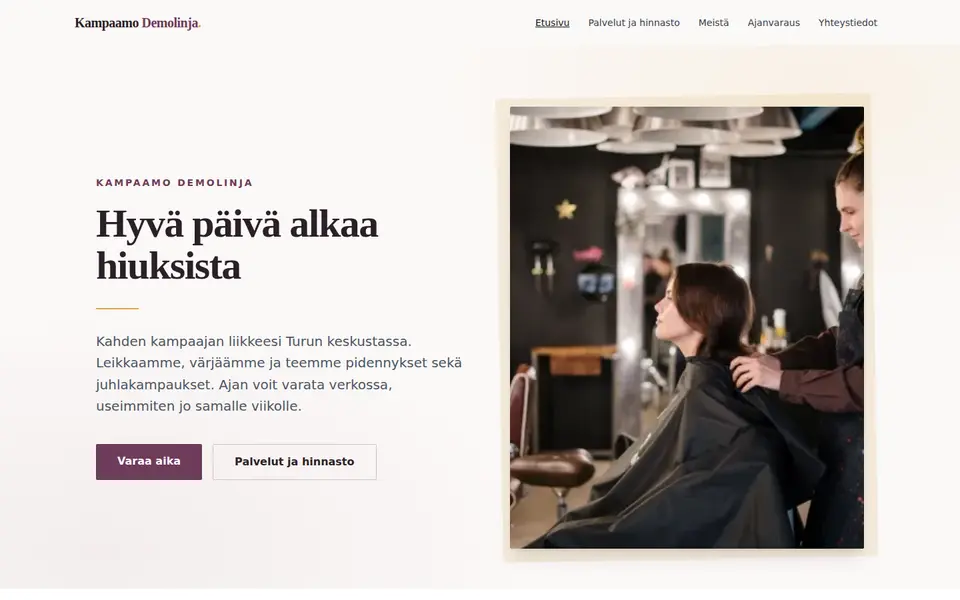

What a hair salon website needs
Salon websites have fairly settled content, and customers expect certain things. The list covers what we consider the most important points, in order of importance.
-
A price list, service by service
Many customers visit a salon website mainly to check prices. It is worth listing prices service by service, for example on a separate price list page. If hair length or working time affects the price, a "from" price is a clear way to show it.
-
A "Book now" button
The Book now button should be visible at the top of every page, and on a phone fixed to the bottom of the screen. The button can open the booking system in a new tab.
-
The people who work there
It is worth giving each stylist’s name, photo and speciality. If stylists have different prices or their own booking links, those are best shown with the introduction.
-
Opening hours, exceptions included
Opening hours are worth showing both on the site and in the Google Business Profile. Holiday exceptions should be updated in both.
-
Google Business Profile link and reviews
Many people find a salon through Google Maps. The profile and the site should carry the same details, and the site can link to the profile where the reviews are shown.
-
Instagram link
Many salons show their work on Instagram. A link to the account is enough, because an embedded feed slows the page down.
-
Gift card
Gift cards are bought especially at Christmas and for Mother’s Day. If the salon sells them, the site should say whether they can be bought online or only in the salon.
-
Cancellation terms
Many salons require cancelling at least 24 hours in advance, and a late cancellation or no-show is often charged at 50 % of the service price. It is worth stating your own terms next to the price list.
-
Location, map and parking
Besides the address and a map, the site should say where the customer can park. A short mention is enough.
-
Accessibility
It is good to say whether the salon is at street level or has steps at the entrance, whether the building has a lift and whether there is an accessible toilet.
-
The product lines you use
Some customers choose a salon by the product lines it uses. The brands are worth mentioning on the site, because people also search with them, for example as "brand hair salon city".
-
Business ID and contact details in the footer
A business offering services online has to keep its name, address and contact details available to customers (section 176 of the Act on Electronic Communications Services). The business ID is customarily given alongside them, and the details usually sit in the page footer.
In search, salons are looked up by city and neighbourhood: "kampaamo Turku", "parturi-kampaamo Kallio", "hiustenleikkaus hinta Tampere". It is therefore worth mentioning the city in the title, the body text and the business profile. Near-me searches are settled by the Google Business Profile and the location data, not by keywords on the page. In the background data behind the page, which search engines and AI assistants read, the salon’s own type is schema.org HairSalon, which carries the opening hours, location, price range, services with prices and the booking link. Only reviews the site has collected itself may be marked as its rating, never Google reviews.
Booking and other systems
The booking systems Finnish salons use, what they cost and what the booking address looks like. The booking address is the link that goes behind the "Book now" button on the site.
| System | Price | Booking address |
|---|---|---|
| Timma | No public monthly price. Marketplace commission 20 % of the value of the first booking for new customers arriving via timma.fi. Reminder messages 0.08 €/message + VAT. | varaa.timma.fi/<liike> |
| Vello | Free 0 €. Basic 7.90 €/mo, Premium 18.90 €/mo and Pro 48.90 €/mo on a 12 month commitment; shorter terms cost more. Payment transactions from 0.9 % + 0.25 €. VAT on top. | vello.fi/<yritys> |
| BookSalon | BASIC 20 €/user/mo, PRO 39 €/mo with unlimited users, PREMIUM 149 €/mo. SMS 0.10 € each on BASIC. VAT 0 %. | booksalon.fi/fi-fi/salon/<salonki> |
| Phorest | No public price. Pricing is quoted case by case. | phorest.com/salon/<id> |
| Fresha | Independent 12.95 €/mo for one professional, Team 8.95 €/mo per professional, Enterprise on request. Online card payments 1.29 % + 0.20 €, SMS 0.12 €. New customers arriving through the marketplace carry a one-off fee. VAT on top. | fresha.com/a/<salonki-kaupunki-osoite> |
| Slotti | Booking 10 €/mo per user. Point of sale 29-79 €/mo. Add-ons: multiple locations 10 €/mo, online sales 15 €/mo (2.8 % + 0.49 € per transaction). VAT on top. 30 day trial. | slotti.fi/booking/<yritys>/ |
| Nettiaika | Basic 9.90 €/mo, additional user 7.90 €/mo. VAT 0 %, no setup fee. Free trial. | nettiaika.fi/<yritys> |
| Avoinna24 | Booking from 31 €/mo, group bookings and online payment 47 €/mo, point of sale with booking from 76 €/mo. Setup fee from 150-200 €. 30 day trial. | avoinna24.fi/<yritys>/reservation |
| DigitalBooker | DigitalBooker Easy from 15 €/mo, DigitalBooker from 49 €/mo. Additional location 25 €/mo, additional professional 9.90-10 €/mo, online payment 0.35 € + 2.8 %, SMS 0.08 €. VAT on top. 14 day trial. | varaaheti.fi/<yritys>/fi |
-
Timma
- Price:
- No public monthly price. Marketplace commission 20 % of the value of the first booking for new customers arriving via timma.fi. Reminder messages 0.08 €/message + VAT.
- Booking address:
varaa.timma.fi/<liike>
-
Vello
- Price:
- Free 0 €. Basic 7.90 €/mo, Premium 18.90 €/mo and Pro 48.90 €/mo on a 12 month commitment; shorter terms cost more. Payment transactions from 0.9 % + 0.25 €. VAT on top.
- Booking address:
vello.fi/<yritys>
-
BookSalon
- Price:
- BASIC 20 €/user/mo, PRO 39 €/mo with unlimited users, PREMIUM 149 €/mo. SMS 0.10 € each on BASIC. VAT 0 %.
- Booking address:
booksalon.fi/fi-fi/salon/<salonki>
-
Phorest
- Price:
- No public price. Pricing is quoted case by case.
- Booking address:
phorest.com/salon/<id>
-
Fresha
- Price:
- Independent 12.95 €/mo for one professional, Team 8.95 €/mo per professional, Enterprise on request. Online card payments 1.29 % + 0.20 €, SMS 0.12 €. New customers arriving through the marketplace carry a one-off fee. VAT on top.
- Booking address:
fresha.com/a/<salonki-kaupunki-osoite>
-
Slotti
- Price:
- Booking 10 €/mo per user. Point of sale 29-79 €/mo. Add-ons: multiple locations 10 €/mo, online sales 15 €/mo (2.8 % + 0.49 € per transaction). VAT on top. 30 day trial.
- Booking address:
slotti.fi/booking/<yritys>/
-
Nettiaika
- Price:
- Basic 9.90 €/mo, additional user 7.90 €/mo. VAT 0 %, no setup fee. Free trial.
- Booking address:
nettiaika.fi/<yritys>
-
Avoinna24
- Price:
- Booking from 31 €/mo, group bookings and online payment 47 €/mo, point of sale with booking from 76 €/mo. Setup fee from 150-200 €. 30 day trial.
- Booking address:
avoinna24.fi/<yritys>/reservation
-
DigitalBooker
- Price:
- DigitalBooker Easy from 15 €/mo, DigitalBooker from 49 €/mo. Additional location 25 €/mo, additional professional 9.90-10 €/mo, online payment 0.35 € + 2.8 %, SMS 0.08 €. VAT on top. 14 day trial.
- Booking address:
varaaheti.fi/<yritys>/fi
The prices are the vendors’ published list prices and almost always exclude VAT. It is worth checking the current price on the vendor’s own page before signing.
How booking is attached to the site
The short answer
We recommend a "Book now" button that opens your booking system’s own page in a new tab. Booking can also be embedded on the page, but the experience is usually better when the customer books directly on the system’s own page. An embed can also stop working if the vendor changes its settings. If you want booking embedded, tell Kamu.
Step by step
- The booking address comes from the booking system. It is the same address you give customers, for example varaa.timma.fi/your-salon. It is best copied from the browser rather than typed by hand.
- The address goes behind a button whose text says plainly what it does, for example "Book now".
- The button is best placed in the header and at the end of every service section, and on a phone at the bottom of the screen. Every button uses the same address.
- The link opens in a new tab and carries rel="noopener", so the page that opens cannot reach back into your own page.
- Finally, it is worth checking on a phone that the button is visible as soon as the page opens and that it opens your own salon’s booking calendar.
On Kotisivukamu
On Kotisivukamu you tell Kamu in plain language, for example: "My booking address is varaa.timma.fi/my-salon. Put a Book now button at the top and at the end of every service section." The button appears in the header, at the end of the sections and in the bottom bar on a phone, and it opens in a new tab. Nothing needs to be installed.
Want a clear, working website for your salon?
Start a free trial →What a salon website costs
The price of the site does not depend on the trade: a salon site costs the same on Kotisivukamu as any other business site. The booking system is a separate cost and comes straight from the vendor at the prices in the table above.
If you want to compare the options before deciding, we have collected the published prices of Finnish agencies, website builders and hosts on a separate page.
Hair salon websites: frequently asked questions
Does a salon need a separate booking system?
The site does not include a booking system; it is bought separately. If bookings are handled by phone, a phone number and opening hours are enough. If you want customers to book on their own, you can pick one of the systems in the table above and attach its booking link to the site.
Is booking embedded directly in the page?
It can. We still recommend a "Book now" button that opens the booking system’s own page in a new tab, because the experience is usually better when the customer books directly on the system’s own page. If you want booking embedded, tell Kamu.
What belongs on a salon price list page?
The services and prices as a table, a "from" marker wherever hair length or working time affects the price, and the cancellation terms on the same page. If stylists have different prices, that is stated next to the price list.
How should the cancellation terms be written?
The terms are best written briefly next to the price list, so you can refer to them when needed. Many salons require cancelling at least 24 hours in advance, and a late cancellation or no-show is often charged at 50 % of the service price.
Is it worth embedding an Instagram feed?
A link is usually enough. An embedded feed loads third party code into the page and slows it down.
How does a salon get found on Google?
Local searches are mostly settled by the Google Business Profile: correct opening hours, address, photos and booking link. The site’s part is to name the city and the neighbourhood in the title and the text, to have a readable price list, and to carry the salon’s own HairSalon markup, with opening hours and services, in the background data behind the page.
Can gift cards be sold through the site?
It depends on the booking system. Vello sells digital gift cards and BookSalon lets the customer buy one online on the PRO plan; in Timma the gift card is sold at the counter. If your system does not sell gift cards online, the simplest route is a form on the site and a coded gift card by email.
Other trades
The front page carries the same list for other trades, and from there you can describe your own business and see what kind of site comes out.
See all trades →