Websites for your trade
Websites for photographers
Checked 16 September 2026
On a photographer’s website the client looks at the images first, but the prices and what the photographer is like also affect the decision. The site should have images that represent the photographer’s style, clear package prices and an introduction to the photographer.Technically the images should look good on a large screen too, while the page should still open quickly on a phone.This guide goes through the structure of a working photography site, optimising and compressing the images, using delivery galleries, and why clear pricing matters.
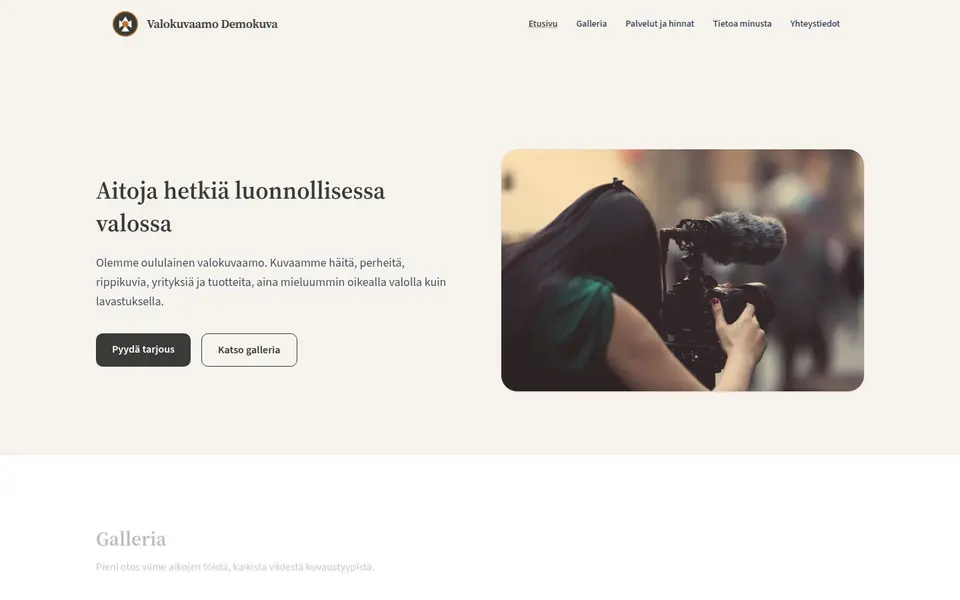

What a photographer’s website needs
The visitor comes mainly to look at pictures, so they should load quickly and there should not be too many of them. The list is in the order in which the site is worth building.
-
An edited portfolio
For each shoot it is worth picking only the best images for the portfolio. The images should represent the kind of work you want more of. A large number of average images rarely sells better than a smaller number of good ones, and it slows the page down.
-
Each type of shoot on its own page
Weddings, family portraits, headshots, business photography and product photography are different purchases, and people search for them with different terms. If you shoot several of these, it is worth giving each its own page with its own gallery and price. A single mixed gallery on one page usually ranks poorly in those searches.
-
A price, or the price floor
Not every photographer publishes package prices. If you would rather not, it is still worth stating a starting price on the site, for example "wedding photography from X €". It reduces enquiries from clients whose budget does not stretch that far.
-
An enquiry form with a date field
The form should ask for the date of the shoot, because it shows at once whether the day is free. It is also good to ask for the type of shoot, the location and a free description. For weddings it is worth asking the number of guests and the length of the day as well, if they affect the price.
-
An introduction to the photographer
For weddings and family shoots the client often chooses the photographer above all. The site should have a photo of the photographer, their name and a few paragraphs on how they work. It is also good to state the area covered, and whether the photographer works outside it and on what terms.
-
A link to the delivery gallery
If the finished images are delivered to clients through a delivery gallery service, a clearly labelled button on the site that opens the gallery in a new tab is enough.
-
The technical handling of the images
Camera originals should not be used on the site as they are, because they are many times larger than a screen needs. Images resized for the web do not have to lose visible quality. Image sizes, formats and loading are in the table below.
-
Usage rights and delivery terms
The site should say how many edited images the client gets, on what schedule and at what resolution, and what the images may be used for. When this is stated in advance, there are fewer disagreements. Copyright has its own section below.
-
Alt text and image file names
A search engine works out much of what an image shows from its alt text and file name. "DSC_4821.jpg" says nothing about the image, while "wedding-pyynikki-tampere.webp" does. The alt text should describe what is in the picture rather than target keywords.
An autoplaying background video and a full-screen slideshow that changes by itself are best left out. Both download a lot of data before anything appears on the page, and the visitor may not get to see every image in the slideshow.
Image sizes, delivery galleries and model releases
Images go on the web at different sizes than the ones the client gets. The tables show what size and format to export, what a delivery gallery costs, and on what basis a photograph of an identifiable person may be published.
Image sizes and formats for the web
| Where the image is used | Long edge | Target weight | How it loads |
|---|---|---|---|
| The hero image on the front page | 2000 px | under 300 kB | Not lazy loaded, because this image is the page’s LCP element, the one the page speed is measured from. Marked loading="eager" and fetchpriority="high". |
| A thumbnail in the gallery grid | 600-800 px | 40-80 kB | loading="lazy" for everything below the fold. There are dozens of them in a grid, and this is where lazy loading saves the most. |
| The enlarged view, the lightbox | 1600-2000 px | 150-300 kB | Loaded only when the visitor clicks. Enlargements are not preloaded with the grid. |
| The camera original | 6000-8000 px | 6-15 MB | Not used on a web page. One such file is over half a minute of downloading on a 3G connection, and at most two megapixels of it are ever visible on screen. |
The hero image on the front page
- Long edge:
- 2000 px
- Target weight:
- under 300 kB
- How it loads:
- Not lazy loaded, because this image is the page’s LCP element, the one the page speed is measured from. Marked loading="eager" and fetchpriority="high".
A thumbnail in the gallery grid
- Long edge:
- 600-800 px
- Target weight:
- 40-80 kB
- How it loads:
- loading="lazy" for everything below the fold. There are dozens of them in a grid, and this is where lazy loading saves the most.
The enlarged view, the lightbox
- Long edge:
- 1600-2000 px
- Target weight:
- 150-300 kB
- How it loads:
- Loaded only when the visitor clicks. Enlargements are not preloaded with the grid.
The camera original
- Long edge:
- 6000-8000 px
- Target weight:
- 6-15 MB
- How it loads:
- Not used on a web page. One such file is over half a minute of downloading on a 3G connection, and at most two megapixels of it are ever visible on screen.
Delivery galleries and prices
| Service | Cheapest paid tier | Free tier | Commission on sales |
|---|---|---|---|
| Pic-Time | Beginner $7/month billed annually, $8/month billed monthly. Professional $21/month and Advanced $42/month billed annually. | Yes. 10 GB of photo storage, which drops to 3 GB after three months, and 1 GB of video storage. | The commission is taken only on the markup you set yourself, and it falls as you move up a tier. On the Professional and Advanced tiers there is no commission on payments you collect yourself. The percentage for the free tier is not stated on the pricing page. |
| Pixieset | Basic $8/month billed annually, $10/month billed monthly. Plus $16, Pro $24 and Ultimate $40 per month billed annually. | Yes. 3 GB of storage. | 15 % on the free tier. No commission at all on any paid tier. |
| ShootProof | The 1,500 photo tier $8.33/month billed annually, $9.99/month billed monthly. The next tiers are $16.67, $26.67 and $50 per month billed annually. | Yes. 100 photos and up to 5 GB. | No commission on any tier, the free one included. It differs from the others here. |
| SmugMug | Direct $20/month billed annually, but it does not include selling. Portfolio at $23.50/month is the cheapest tier that can sell prints and digital files. Pro $37/month. | No permanent free tier, only a 14 day trial. | The commission percentage is not stated on the pricing page. |
| Zenfolio | Basic €6/month billed annually, €8/month billed monthly, but Basic does not include selling. Professional €10/month and Advanced €18/month billed annually are the tiers that can sell prints. | No permanent free tier, only a free trial with no card required. | The commission percentage is not stated on the pricing page. |
Pic-Time
- Cheapest paid tier:
- Beginner $7/month billed annually, $8/month billed monthly. Professional $21/month and Advanced $42/month billed annually.
- Free tier:
- Yes. 10 GB of photo storage, which drops to 3 GB after three months, and 1 GB of video storage.
- Commission on sales:
- The commission is taken only on the markup you set yourself, and it falls as you move up a tier. On the Professional and Advanced tiers there is no commission on payments you collect yourself. The percentage for the free tier is not stated on the pricing page.
Pixieset
- Cheapest paid tier:
- Basic $8/month billed annually, $10/month billed monthly. Plus $16, Pro $24 and Ultimate $40 per month billed annually.
- Free tier:
- Yes. 3 GB of storage.
- Commission on sales:
- 15 % on the free tier. No commission at all on any paid tier.
ShootProof
- Cheapest paid tier:
- The 1,500 photo tier $8.33/month billed annually, $9.99/month billed monthly. The next tiers are $16.67, $26.67 and $50 per month billed annually.
- Free tier:
- Yes. 100 photos and up to 5 GB.
- Commission on sales:
- No commission on any tier, the free one included. It differs from the others here.
SmugMug
- Cheapest paid tier:
- Direct $20/month billed annually, but it does not include selling. Portfolio at $23.50/month is the cheapest tier that can sell prints and digital files. Pro $37/month.
- Free tier:
- No permanent free tier, only a 14 day trial.
- Commission on sales:
- The commission percentage is not stated on the pricing page.
Zenfolio
- Cheapest paid tier:
- Basic €6/month billed annually, €8/month billed monthly, but Basic does not include selling. Professional €10/month and Advanced €18/month billed annually are the tiers that can sell prints.
- Free tier:
- No permanent free tier, only a free trial with no card required.
- Commission on sales:
- The commission percentage is not stated on the pricing page.
When a photograph may be published
| Situation | What the publication rests on | What to do in practice |
|---|---|---|
| A wedding couple in your own portfolio | Publishing the images for marketing is processing of personal data and needs a basis under the GDPR. In practice that basis is the couple’s consent. The exemption in section 27 of the Finnish Data Protection Act covers processing solely for journalistic purposes or for academic, artistic or literary expression, and a sales portfolio for your own business is not that. | A written clause in the shoot contract: may the images be published in the portfolio, may they be published on social media, and may the couple be named. Those are three separate questions, so it is worth asking them separately. The contract should also say how consent can be withdrawn. |
| Business headshots for a client company | The subject is usually an employee, not your contracting party. The employer’s permission is not the employee’s consent, and consent given inside an employment relationship is not voluntary in the same way as elsewhere. | For portfolio use it is worth asking the subject for written permission themselves, for example on the day of the shoot. The contract with the client company covers delivery, not your own marketing. |
| Children | For a minor the consent is given by the guardian. If there are two guardians, the starting point is that they decide together. | It is worth asking the guardians for written permission that covers only the use written into it. It is good to ask an older child as well. The images are best published without the name, the school and the exact location. |
| A photograph taken in a public place with bystanders in it | Photographing in a public place is allowed, but that is a different thing from publishing. A recognisable bystander in a company’s marketing material needs a basis of its own. | It is best to choose a portfolio image in which the bystanders are not recognisable, or to ask them for permission. Editing out a face may not be enough, because a person can also be recognised from clothing, the situation and the place. |
A wedding couple in your own portfolio
- What the publication rests on:
- Publishing the images for marketing is processing of personal data and needs a basis under the GDPR. In practice that basis is the couple’s consent. The exemption in section 27 of the Finnish Data Protection Act covers processing solely for journalistic purposes or for academic, artistic or literary expression, and a sales portfolio for your own business is not that.
- What to do in practice:
- A written clause in the shoot contract: may the images be published in the portfolio, may they be published on social media, and may the couple be named. Those are three separate questions, so it is worth asking them separately. The contract should also say how consent can be withdrawn.
Business headshots for a client company
- What the publication rests on:
- The subject is usually an employee, not your contracting party. The employer’s permission is not the employee’s consent, and consent given inside an employment relationship is not voluntary in the same way as elsewhere.
- What to do in practice:
- For portfolio use it is worth asking the subject for written permission themselves, for example on the day of the shoot. The contract with the client company covers delivery, not your own marketing.
Children
- What the publication rests on:
- For a minor the consent is given by the guardian. If there are two guardians, the starting point is that they decide together.
- What to do in practice:
- It is worth asking the guardians for written permission that covers only the use written into it. It is good to ask an older child as well. The images are best published without the name, the school and the exact location.
A photograph taken in a public place with bystanders in it
- What the publication rests on:
- Photographing in a public place is allowed, but that is a different thing from publishing. A recognisable bystander in a company’s marketing material needs a basis of its own.
- What to do in practice:
- It is best to choose a portfolio image in which the bystanders are not recognisable, or to ask them for permission. Editing out a face may not be enough, because a person can also be recognised from clothing, the situation and the place.
The delivery gallery prices are from the vendors’ own pricing pages on 16 September 2026 and are given in the currency the page shows. Zenfolio shows its prices in euros and the others in dollars, and the pages may show a different currency when viewed from a different country. VAT and any currency conversion come on top. The cheapest tier is not always the one that can sell: on SmugMug and Zenfolio selling starts one tier up. Check the current price on the vendor’s own page before subscribing. The image size figures are a working rule, not a standard: they are set so that the image still looks sharp on a high density display without the browser downloading anything it does not use.
How the gallery is attached to the site
The short answer
The portfolio lives on your own site with your own image files. The delivery gallery lives at the vendor, and you get there through a clearly labelled button that opens in a new tab. We do not recommend embedding the delivery gallery in the site, because an embed often behaves badly on a phone. Embedding is still possible, and Kamu will do it if you ask.
Step by step
- The portfolio is best kept on your own site. That way search visibility builds up on your own domain, and you decide the image sizes and loading order yourself.
- It is worth adding a button to the menu and the footer that says something like "Client gallery". It goes to the delivery gallery address and opens in a new tab. Next to it, it is good to say in one sentence that these are the images of clients already photographed and that the sign-in happens at the gallery service.
- We do not recommend embedding the delivery gallery, because an embedded gallery often behaves badly on a phone. The vendor can also change its framing settings at any time, and then the embed stops working without warning. If you want an embed, Kamu will do it on request.
- The enquiry form is best kept on your own site rather than at the gallery service. It should ask for the date of the shoot, the type of shoot, the location, contact details and a free description, and include consent to be contacted with a link to the privacy statement.
- Next to the form it is worth saying when enquiries are answered. After sending, the client is best taken to a thank you page that says what happens next. That page is also where conversions are counted.
On Kotisivukamu
On Kotisivukamu the portfolio gallery, the enlarged view and the enquiry form are already part of the site. You upload the images and the web sizes and modern file formats are generated from them automatically, images below the fold are deferred and the hero image is not. The delivery gallery button is an ordinary link whose address you give. Nothing needs to be installed.
Copyright and usage rights
Finnish copyright law protects photographs in two different ways. If the image crosses the threshold of originality it is a photographic work, named as such in section 1 of the Act, and it gets full copyright: under section 43 that runs until 70 years have passed from the end of the year the author died. If the image does not cross that threshold it is an ordinary photograph, protected by the neighbouring right in section 49 a. Its wording is that the right in a photograph lasts until 50 years have passed from the end of the year in which the image was made. Neither protection requires registration or a copyright notice, and it arises when the photograph is taken.
In practice the difference is smaller than it sounds. Under the list in the third paragraph of section 49 a, a large part of the same sections that apply to a work apply to an ordinary photograph too, and the closing sentence of that same paragraph says outright that if the photograph is the subject of copyright, copyright may be relied on. So the line does not have to be drawn in advance. In either case the right belongs, as a starting point, to the photographer, not to whoever ordered and paid for the shoot.
The second paragraph of section 27 of the Act says that the transfer of a copy does not include a transfer of copyright. The client gets the files but not the copyright in them, unless that has been separately agreed. The same paragraph carries a second point that matters here: in a portrait made to order, the author may not exercise the right without the consent of the person who ordered it. A commissioned portrait is therefore a special case in which you cannot publish your own image without the client’s consent, even though the copyright is yours. And if rights are transferred, section 28 is worth reading: unless otherwise agreed, the person to whom copyright has been transferred may not alter the work or pass the right on, and a photographer who grants an exclusive right is entitled to appropriate and proportionate remuneration for the exploitation.
It is good to write the licence out on the site so that it says what the images may be used for, for how long, and whether they may be edited or resold. "The client is free to use the images" is not a contract term, because it does not separate private use from a company advertising campaign. A commercial licence is usually priced separately, so the difference is worth writing down in advance.
Want a clear, working website for your photography business?
Start a free trial →What a photographer’s website costs
The price of the site does not depend on the trade: a photographer’s site costs the same on Kotisivukamu as any other business site. The delivery gallery service is a separate cost and comes straight from the vendor at the prices in the table above.
Storage for the images is worth calculating separately. The portfolio holds dozens of images at web size, which is not much, but a delivery gallery fills up quickly with full size client deliveries, and there storage is exactly what the pricing is based on. Archiving old shoots out of the gallery service is cheaper than moving up a tier.
If you want to compare the options before deciding, we have collected the published prices of Finnish agencies, website builders and hosts on a separate page.
Photographer websites: frequently asked questions
How large should the images on a website be?
As a working rule: the hero image 2000 pixels on the long edge and under 300 kilobytes, gallery thumbnails 600-800 pixels and 40-80 kilobytes, the enlarged view 1600-2000 pixels and 150-300 kilobytes. The camera original is 6000-8000 pixels and 6-15 megabytes, and it should not be used on the page as it is. The figures are set so that the image still looks sharp on a high density display while the browser does not download pixels it will not use. The sizes are best served with srcset and sizes, so a phone gets the small file and a desktop the large one.
Should images be saved as WebP, AVIF or JPEG?
Both modern formats are clearly lighter than JPEG at the same quality. Google states in its own WebP documentation that lossy WebP is 25-34 % smaller than a comparable JPEG at an equivalent SSIM quality index. AVIF usually compresses tighter still, but it is slower to encode. The practical answer is to offer AVIF first, WebP second and JPEG as the last fallback in a picture element, so the browser picks the one it understands. Images are best exported in the sRGB colour profile, because an image exported as Adobe RGB looks washed out in a browser compared with Lightroom.
Why should the hero image not be lazy loaded?
Because it is the page’s LCP element, the largest content element from which the page’s perceived speed is measured. Marking it loading="lazy" makes the browser skip it on the first pass and the metric gets worse. Web.dev published an A/B test on a WordPress site in which lazy loading all images, including those above the fold, worsened LCP by 13-15 % on archive pages. On single pages the difference was negligible. So lazy loading is best used for everything below the fold and loading="eager" with fetchpriority="high" on the hero.
Who owns the images once the client has paid for the shoot?
The copyright belongs to the photographer unless otherwise agreed. The second paragraph of section 27 of the Copyright Act says outright that the transfer of a copy does not include a transfer of copyright: the client gets the files, not the rights in them. The same paragraph carries an exception for a portrait made to order: the author may not exercise the right in it without the consent of the person who ordered it. The site should state what the client may use the images for, for how long, and whether they may be edited or resold.
What is the difference between a photographic work and an ordinary photograph?
An image that crosses the threshold of originality is a photographic work, named in section 1 of the Copyright Act, and under section 43 its protection runs until 70 years have passed from the end of the year the author died. An image that falls below the threshold is an ordinary photograph, protected by the neighbouring right in section 49 a, which lasts until 50 years have passed from the end of the year in which the image was made. For unauthorised use the difference is smaller than it sounds, because the third paragraph of section 49 a extends a large part of the same sections to ordinary photographs as well, and ends with the sentence that if the photograph is the subject of copyright, copyright may be relied on.
May I publish wedding images in my portfolio without separate permission?
The copyright is yours, but the images contain identifiable people, and publishing their pictures for marketing is processing of personal data that needs a basis under the GDPR. In practice that basis is the couple’s consent, and it is worth taking in writing as its own clause in the shoot contract. The exemption in section 27 of the Finnish Data Protection Act covers processing solely for journalistic purposes or for academic, artistic or literary expression, and a sales portfolio for your own business is not that. It is worth asking separately about the portfolio, social media and naming the couple, and the contract should say how consent can be withdrawn.
May photographs of children be published on the site?
For a minor the consent is given by the guardian, and if there are two guardians the starting point is that they decide together. The permission is best taken in writing and limited to the use written into it: the portfolio does not automatically mean social media. It is worth asking an older child as well, even though the legal decision rests with the guardian. The images are best published without the name, the school and the exact location.
Is it worth publishing prices on the site?
Not every photographer publishes package prices. If you would rather not, it is still worth stating a starting price, for example "from X €". The usual shape of pricing in this trade is a package plus extras: the base package holds the shooting time and an agreed number of edited images, and separately priced on top are extra images, a wider licence, travel outside your own area, prints and albums, and a rush delivery. When the package and the extras are on the page separately, the client understands where the final sum comes from and you do not have to explain it from scratch every time.
Can the delivery gallery be embedded in my own site?
It can, but we do not recommend it. An embedded gallery often behaves badly on a phone, and clients usually look at their images on a phone. We recommend a clearly labelled button that opens in a new tab. Embedding is still possible, and Kamu will do it if you ask. Either way, the portfolio is best kept on your own domain, because that is where search visibility builds up.
Other trades
We build sites for every trade. The front page shows the example sites and what the pages in each trade contain.
See the trades on the front page →